
2.1 KiB
Manual
This manual applies to the "fft-multi-decoder_fixed_hackrf.grc" flowgraph
graphs
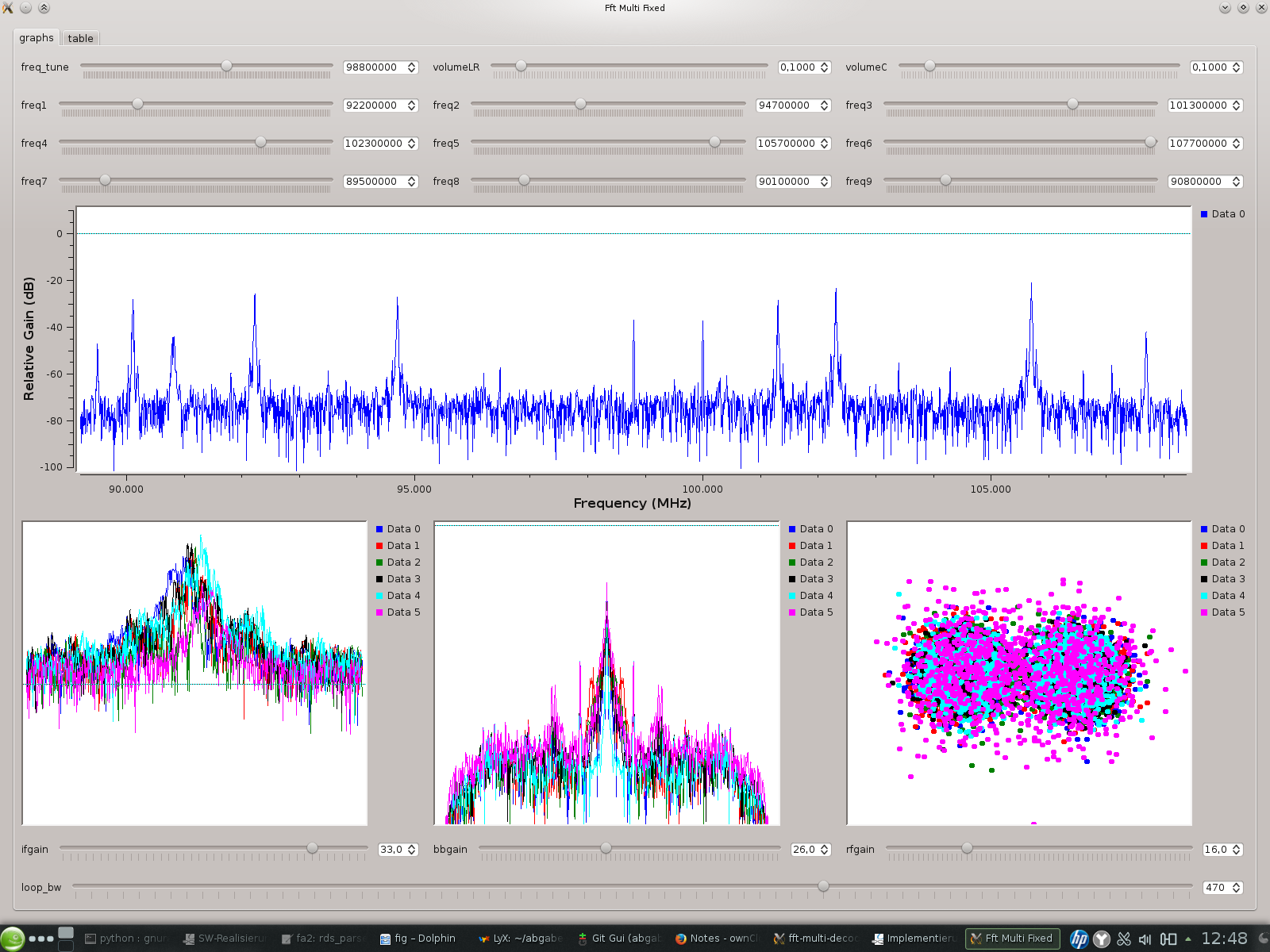
freq and volume sliders
freq_tune = frequency of SDR hardware volumeLR = volume for left and right channel volumeC = volume for center channel freq1..9 = frequency of all channels
scopes
spectrum of input signal
spectrum of filtered input signal for single channel (first 6 channels) spectrum of signal after FM demodulation (first 6 channels) constellation after PSK decoder (first 6 channels)
gain and loop_bw sliders
intermediate frequency-, baseband- and radio frequency gain of SDR hardware
loop_bw = loop bandwidth of all PSK decoders
RDS Table
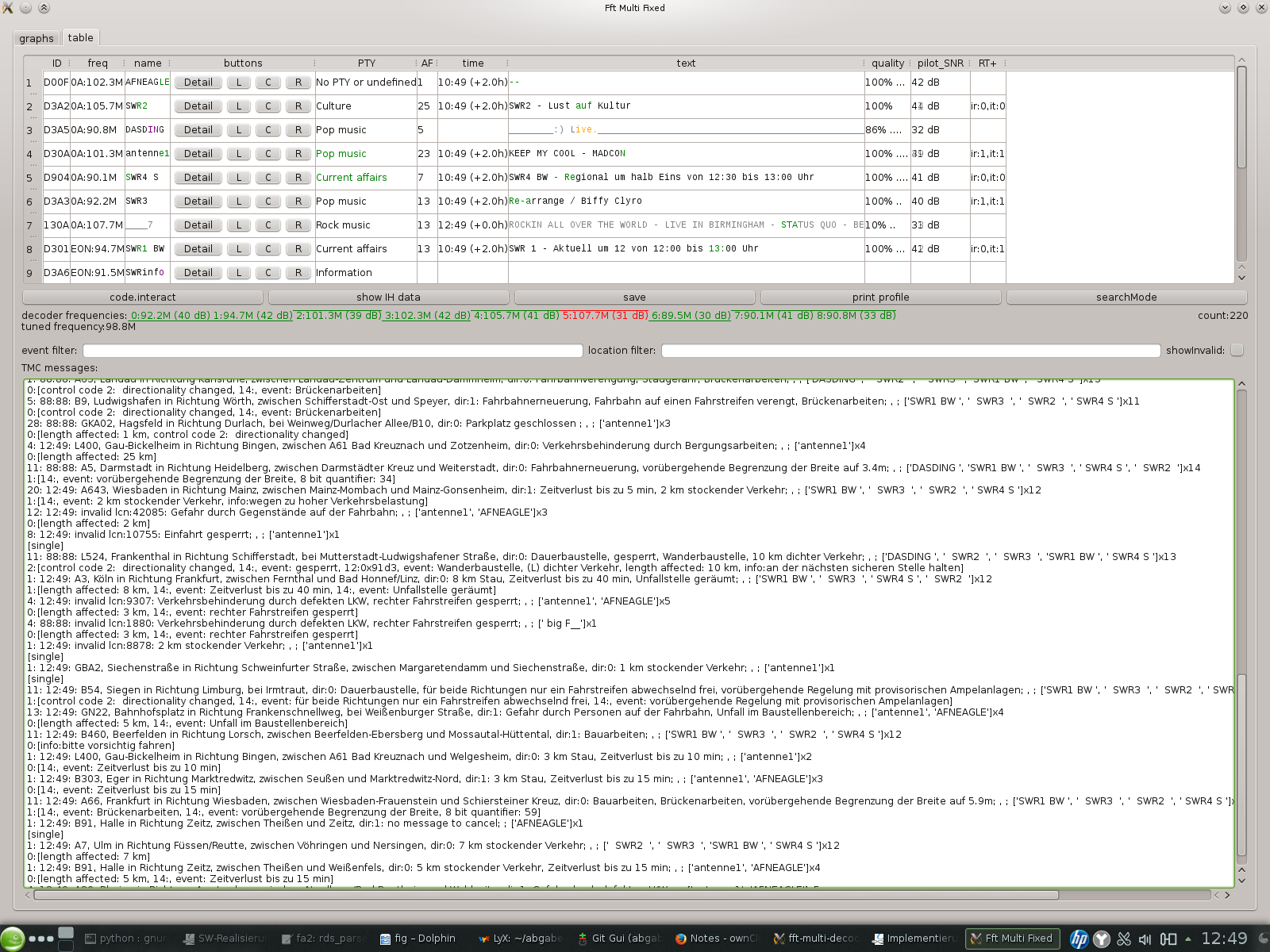
table
hint: hover over text to get more details e.g. time -> date, RT -> RT+ click LCR buttons to hear this channel on left/right/center audio
buttons
code.interact
- launches interactive python console (inside "rds_parser_table_qt_Widget" instance) in the terminal window GRC was launched from parser object accessible via "self.tableobj" variable
- can only be used, if GRC was launched from the terminal
- pauses execution of parser
- exit shell and resume execution with CTRL-D or "exit()"
show IH data
- display InHouse (groupType 6A) data of all stations
save
- save current state of parser to data directory
print profile
- print profiler info (currently disabled)
searchMode
- switch station_search block on/off
decoder info
- red/green : RDS decoder sync status
- overline/underline: symbol combiner status
TMC list
event/location filters
enter = apply filter
event list
scroll to bottom to follow new events
TMC map
open google_maps.html from /data in webbrowser
- click on background = reload/update markers (closes all info windows)
- click on marker = open info window
- hover over text in info window to get more details (time-> date, event string -> raw MGM data)
- t-key = toggle (google) traffic layer on/off
- red lines from tmc event markers show extent of event